A NOVA PRODUCT / VERSION 0.91

The web,
on your terms.

Meet Vexa. A desktop browser built around the things that matter: a focused experience, useful controls, and privacy that doesn't get in your way.

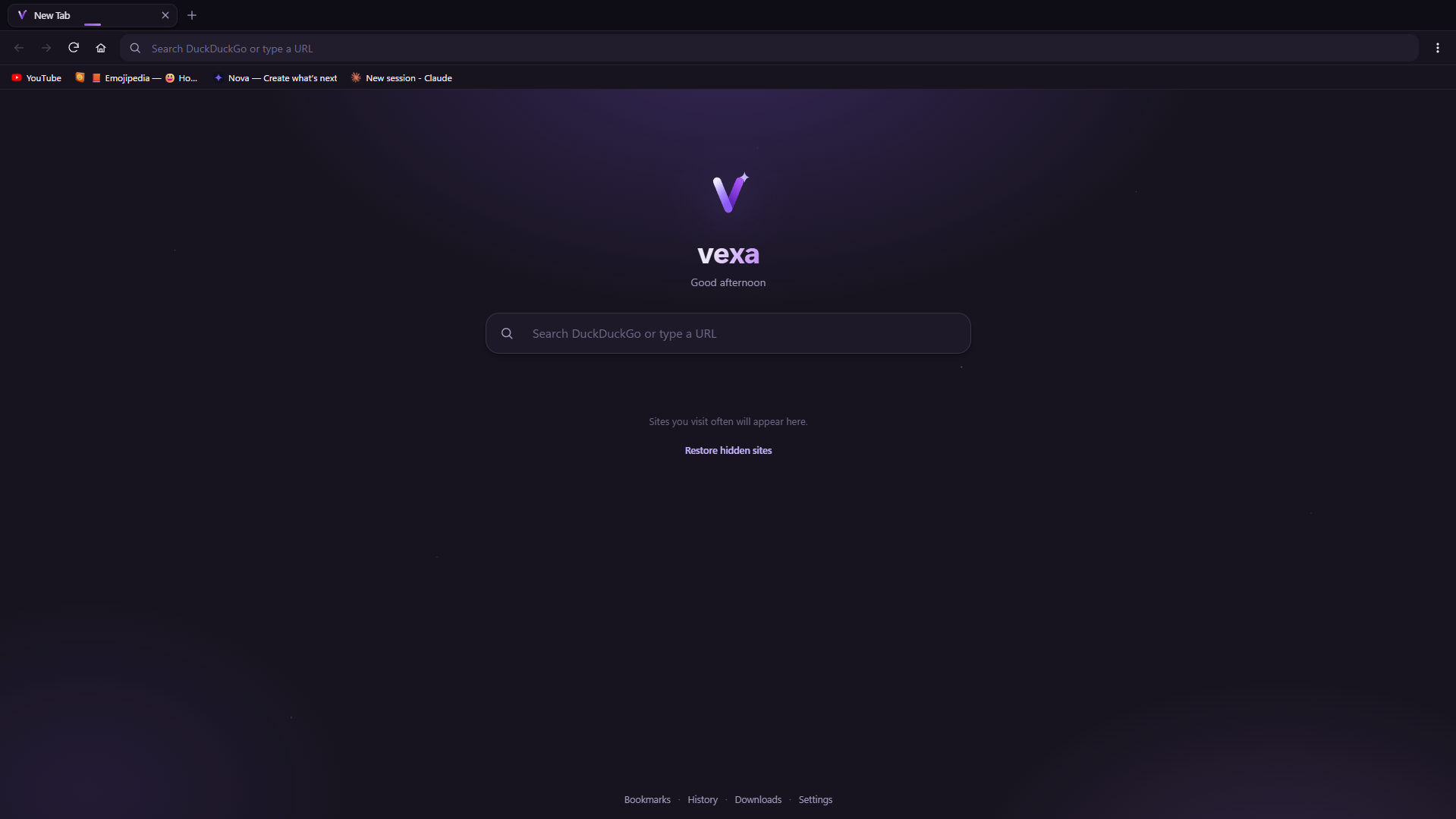
Vexa 0.5.5 New Tab page: the Vexa logo, a greeting and a search box, with tabs, toolbar and bookmarks bar above.
✦ Your browser. Your space.
◇ Privacy built in
ENGINEChromium 156
PLATFORMElectron 45
IDENTITYNova design
CURRENT VERSION0.91.0
THE EXPERIENCE UPDATE · REFINED IN 0.91

Make it feel like yours.
Then get things done.

01

Vexa Atmosphere

Five presets — Midnight, Cyber, Aurora, Arcade and Minimal — set colors, motion, an animated background, the wallpaper and interface sounds in one click. Mix your own: accent color, tab animations, and sounds for typing, clicks, tabs and more, including your own audio files. Sounds stay inside Vexa's interface and never mix with a site's audio.
02

Spaces

Separate sets of tabs for work, play and research, each with its own icon, colors, wallpaper, pinned sites and startup pages. Make a Space isolated and it keeps its own cookies and logins, so two accounts can be signed in side by side.

03

Command Center

Press Ctrl+Space and type. Open sites, jump to any tab in any window, switch Spaces, find bookmarks, history, downloads and collections, or just say it: “focus on essay for 25 minutes”, “save this page to Recipes”.

04

Focus

Reader view for articles, a minimal interface, and focus sessions: a Space for one task with a timer, other tabs muted and distracting sites held back until you're done — or allowed for five minutes.

05

Collections

Your personal internet library. Save pages, articles, images, videos, notes, files and screenshots into collections with covers, favorites and search — from the address bar, a right-click, or by dropping things in.

06

A smarter address bar

Search shortcuts like @yt, @w and @nova, filters like @tabs and @bookmarks, “Switch to tab”, and suggestions from Vexa Search's offline index — none of it leaves your computer. Plus a New Tab page with widgets you arrange yourself.

A BETTER KIND OF EVERYDAY

Everything you need.
Nothing shouting for attention.

Vexa brings the familiar power of Chromium into an interface designed to feel considered, calm, and unmistakably its own.

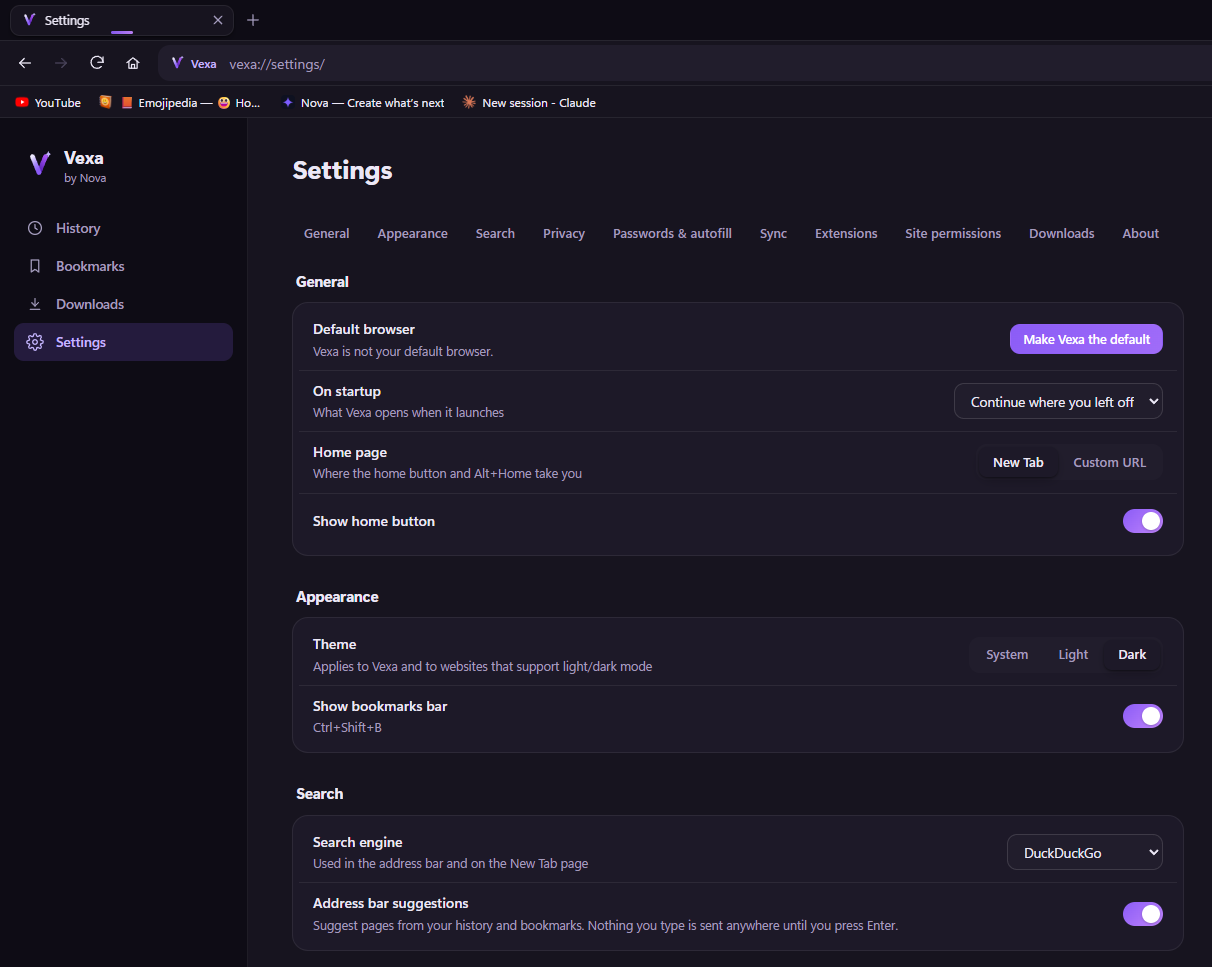
Vexa 0.5.5 Settings: default browser, startup, home page, theme, bookmarks bar and search engine options.
01 / BROWSING

A browser that feels like yours.

Move between tabs, pick up closed pages, organize bookmarks, and keep your place with session restore. The everyday details are right where you expect them.

02 / CONTROL

Useful tools, built in.

Downloads with pause and resume, find-in-page, per-site zoom, printing, page source, and DevTools—without hunting through extensions.

03 / ORGANIZATION

Your web, in order.

Bookmarks with folders and search, browsing history grouped by day, and import or export using the standard browser bookmark format.

04 / YOUR DATA

Sync without a Vexa account.

Choose a folder in a service you already use. Vexa encrypts a sync file with a passphrase before it leaves your device, so your storage provider only sees encrypted data.

PRIVACY IS PART OF THE DESIGN

Your browsing
belongs to you.

Vexa gives you controls that are easy to understand and close at hand. Your browser profile stays on your device, and private windows use an in-memory session.

Explore the details
◈

Private windows

Private sessions are held in memory and aren't saved to your normal browsing profile.

✓
⌑

Protected passwords

Saved passwords are encrypted with your operating system's secure storage before being written to disk.

✓
⟲

Encrypted sync file

A passphrase-based encryption layer protects the data Vexa syncs through a folder you choose.

✓
⊘

Vexa Shields

On by default and run entirely on your device: blocks third-party ads and trackers, cross-site cookies and fingerprinting, upgrades to HTTPS, removes tracking parameters, blocks unwanted popups and warns before known phishing and scam sites. Turn it off for any site in one click.

✓
⊘

Privacy controls

Do Not Track, Global Privacy Control, site permissions, and clear-on-exit options.

✓
A LITTLE MORE CONTROL

The details make
the difference.

01

Make it yours

Choose system, light, or dark appearance or an Atmosphere preset, and give the New Tab page a wallpaper from the Vexa gallery or your own photo. Set your search engine (including Vexa Search, Nova’s own engine, in beta), home page, startup behaviour, and download preferences.

02

Bring your bookmarks

Import and export standard HTML bookmarks, including the format used by Chrome, Edge, and Firefox.

03

Keep your workflow

Use familiar keyboard shortcuts, pin the tabs you always keep open, reopen closed tabs, move tabs between windows, and restore your session after a restart.

THE IMPORTANT DETAILS

Built with intention.
Still evolving.

Vexa is an actively developing browser. Here's the current picture, without the fine print hidden away.

Browser engineChromium 156
Desktop frameworkElectron 45
Current version0.91.0
Supported extension installUnpacked only
i

Vexa's standard build does not include Widevine DRM, so Netflix and other protected streaming services won't play. Google currently refuses sign-in from Vexa (“This browser or app may not be secure”): Google blocks browsers built on embedded engines like Electron. Your account is fine, and Vexa explains this when it happens. The full compatibility report is in the project's docs.

Read the project README
GOOD TO KNOW

A few quick answers.

What is Vexa built on?

Vexa is a desktop browser built with Electron 45 and Chromium 156. Its interface is a separate, sandboxed renderer, while browser tabs use individual WebContentsViews.

Where is my browser data stored?

Your normal browser profile is stored locally in your operating system's user-data folder. On Windows, that is under your AppData profile. You can open the profile location from Settings → About.

Does Vexa require a Vexa account to sync?

No Vexa sync server or account is required. You choose a shared folder, and Vexa writes an encrypted sync file there. You set the passphrase yourself.

Can I install Chrome Web Store extensions?

Not directly. The current extension support is for loading unpacked extensions, and Electron implements only part of the Chrome extension API.

Will Vexa start making noises?

No. Interface sounds are off until you turn them on in Customize → Sounds or pick a preset that uses them, and every sound can be switched off on its own.

Does anything new talk to the internet?

Only the New Tab weather widget, and only if you turn it on and choose a city: it then asks open-meteo.com for the weather at that city. Spaces, Collections, search history, Reader view and the Command Center all work on your computer.

Installer or portable — which should I pick?

The installer adds Vexa to your Start menu and can be uninstalled from Windows Settings. The portable build is a single file that runs without installing. Both keep your browser profile in your AppData folder.

Can I sign in to my Google account in Vexa?

Not right now. Google refuses sign-in from Vexa with “This browser or app may not be secure” because Vexa is built on Electron, an embedded browser engine that Google blocks to protect accounts from phishing apps. Browsers like Brave and Edge are built on full Chromium, which Google accepts. Your account and password are fine; other sign-in methods on other sites still work.

Why does Windows warn me when I run it?

Vexa 0.91.0 isn't code-signed yet, so Windows SmartScreen may show “Windows protected your PC”. Choose More info → Run anyway. Only download Vexa from this page or the official GitHub release.

VEXA 0.91

Ready when
you are.

The next chapter of your browsing experience starts here. Get the Windows installer, or the portable build if you'd rather not install anything.

Windows 10 & 11 · 64-bit